
In Desmos, you can input Greek letters like and more.
The process is straightforward: just type alpha, beta, and so on.
However, for other Greek letters like , you’ll need to use a few tricks. This article introduces three methods to do so.
① Copy and Paste LaTeX
Desmos uses , a popular typesetting system for mathematics, to process mathematical expressions.
In , Greek letters are written using commands like \lambda, \gamma, and so on, with a backslash (\).
While you can write Greek letters in format, Desmos doesn’t let you directly type \ in mathematical expressions.
Technically, you can type it, but it will automatically be escaped as \backslash. To work around this, you can copy Greek letters in format and paste them directly into the expression.
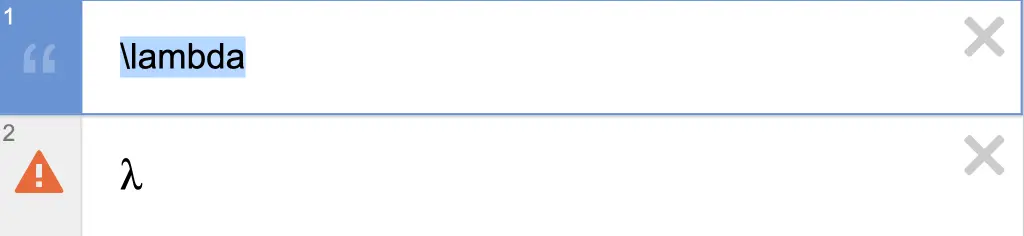
As shown in the image above, type something like \lambda in the description, then copy and paste it into the expression.
On smartphones, pasting into the expression area might not work well. If that happens, try using a larger device like a computer.
div tag instead of a standard input tag to simulate an input field. This is why native input assistance on smartphones may not work properly.② Use DesModder
DesModder is a browser extension available for Chrome, Firefox, and other browsers.
Chrome Web Store: https://chromewebstore.google.com/detail/desmodder-for-desmos/eclmfdfimjhkmjglgdldedokjaemjfjp
Firefox Add-ons: https://addons.mozilla.org/ja/firefox/addon/desmodder-for-desmos/
DesModder offers many features, which I’ll cover in another article, but one of them is the ability to input Greek letters directly in Desmos.
After installing and enabling the extension, you can type various Greek letters directly in Desmos.
However, some letters with conflicting names can be tricky. For example, typing epsilon might result in because psi gets converted midway.
To avoid this, you can temporarily insert a space, like eps ilo, to prevent automatic conversion. Then, remove the space and type n to input .
Some letters, like varepsilon and varphi, are even harder to input because they conflict with Desmos’ built-in functions (e.g., the function for variance). In such cases, copying and pasting in format is usually the best option.
③ Use the Console
This method is for users familiar with basic JavaScript.
You can directly manipulate Desmos through the browser console. On Chrome, open the console with command+option+J on Mac or Ctrl+Shift+J on Windows. Here, you can run JavaScript commands.

The Desmos graph is stored in an object called Calc. Try typing Calc in the console.
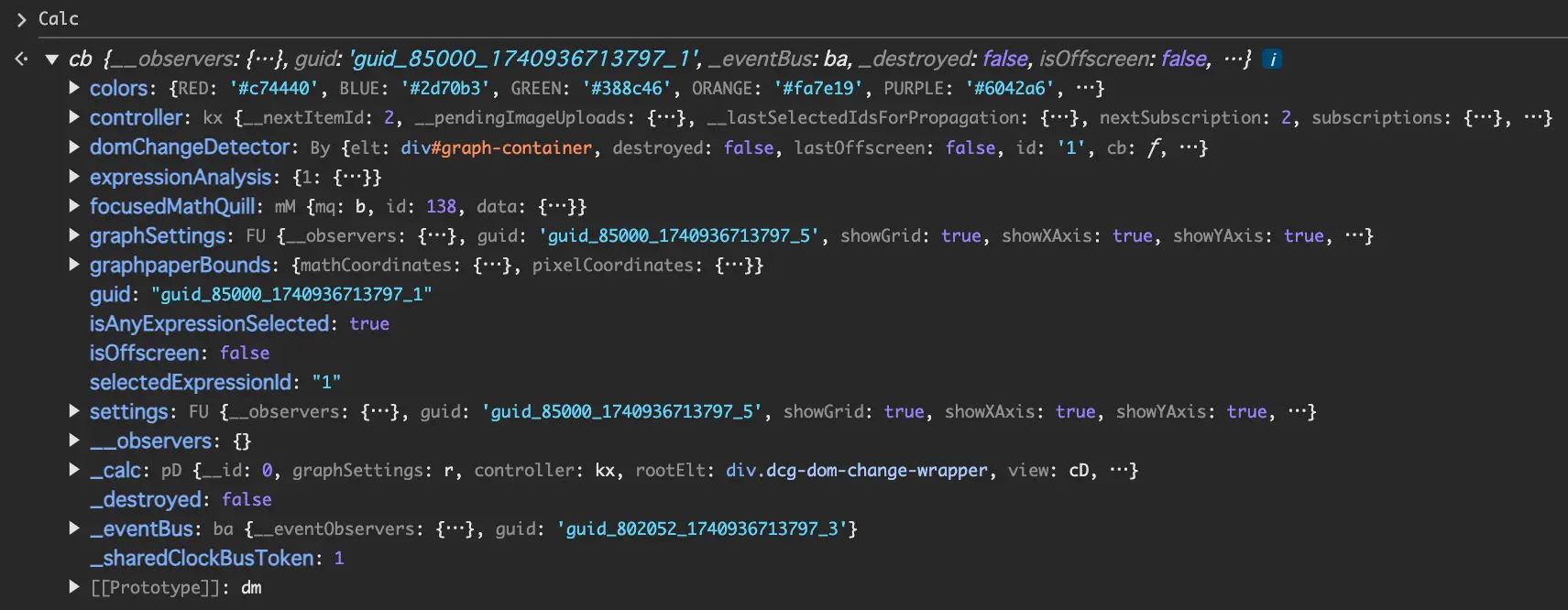
You can view various information about the graph.
Using methods of the Calc object, you can manipulate the graph. For example, to retrieve the list of expressions, use Calc.getExpressions().
To add an expression, use Calc.setExpression({ latex:'y=\\lambda x' }).
Remember, in JavaScript, \ is a special character, so you need to escape it as \\.
For more details, check out the Desmos API Documentation.